Getting started · 0:35
Welcome: a 1-minute tour of LicenceGuard

For a new administrator on their first day: a one-minute tour of where things are in LicenceGuard.
Around the screen
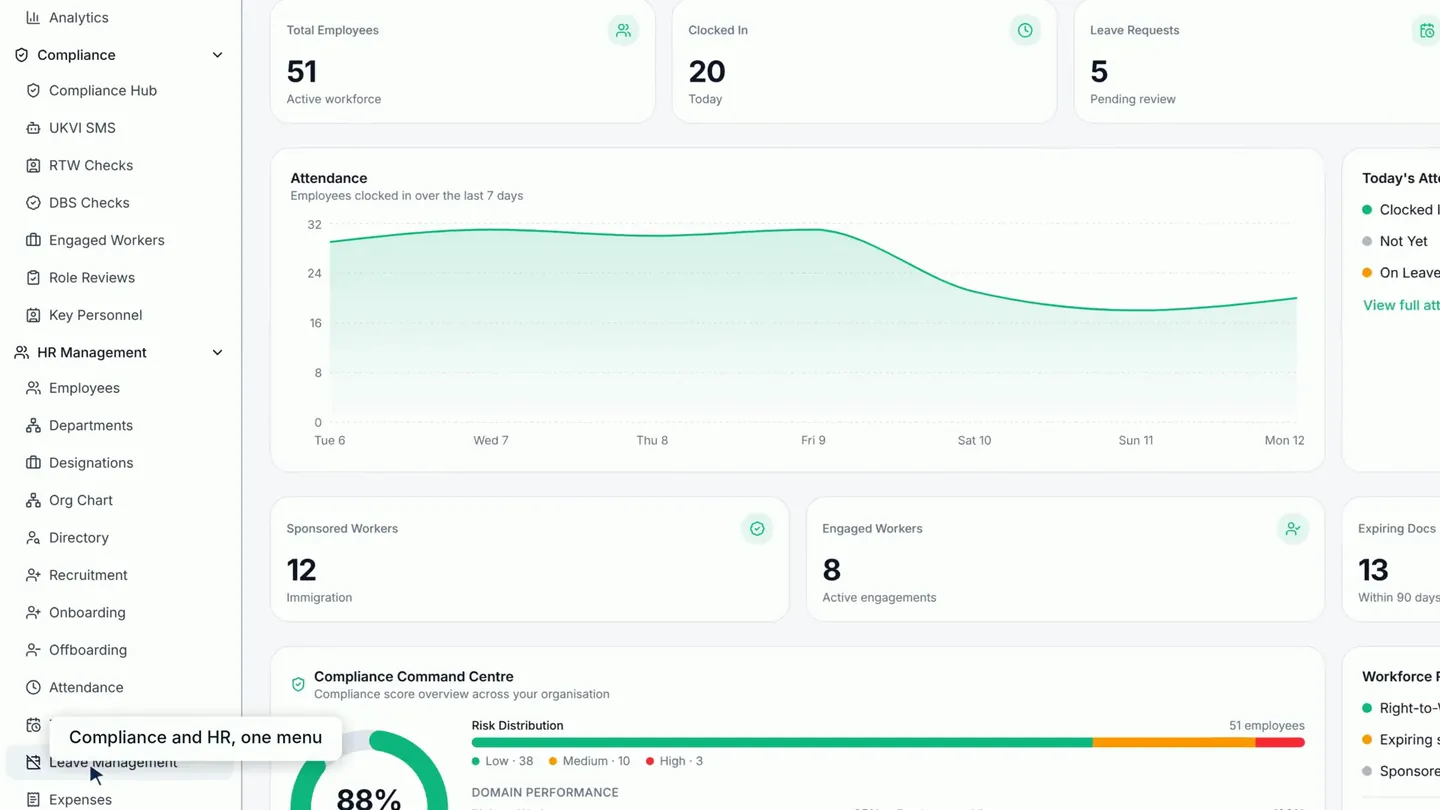
- The dashboard is a summary of your people, attendance, leave and compliance.
- The menu is grouped into Compliance, for sponsor duties and checks, and HR Management, for everyday HR.
- The Compliance Hub is the best place to start each day. It shows what needs attention first.
- Reminders appear in the bell and by email.
- Your own profile, payslips and leave are under your name.
Next: set up LicenceGuard in four steps, or the Compliance Hub: where to look first.
Read the full transcript
0:03 This is your dashboard: a summary of your people, attendance, leave and compliance.
0:10 The menu is grouped into Compliance, for sponsor duties and checks, and HR Management, for everyday HR.
0:19 The Compliance Hub is the best place to start each day. It shows what needs attention first.
0:25 Reminders appear in the bell and by email.
0:28 Your own profile, payslips and leave are under your name.
Related videos
Set up LicenceGuard in four steps
For owners and HR leads deciding whether LicenceGuard fits: import your people, set the documents you require, and enter your sponsor licence details in four steps.
The Compliance Hub: where to look first
For people who run compliance day to day: the one screen that shows what needs attention, the readiness score, the compliance domains and a worker's own gaps.
Sign up and start your free trial
A new customer's administrator signing up for LicenceGuard for the first time, wanting to know what the sign-up steps ask for and what happens to the card.


Get started
Ready to try it on your own records?
Start your 14-day free trial, or book a demo and we will walk you through LicenceGuard with your own questions in mind.
- Card required
- Cancel during your trial
- No VAT currently charged