
Feature demo · 0:36
Deadlines that calculate themselves

Sponsor duties and their due dates, worked out automatically from the dates you enter. A short look at how LicenceGuard calculates UKVI reporting deadlines.
What the demo shows
- Deadlines are set out in working days from the event, the way the sponsor guidance counts them.
- Track a duty and enter the date of the change, and LicenceGuard works out the reporting deadline in working days. No counting on a calendar.
- Every tracked duty lands in the obligations tracker, so you can see what is pending, due soon and overdue.
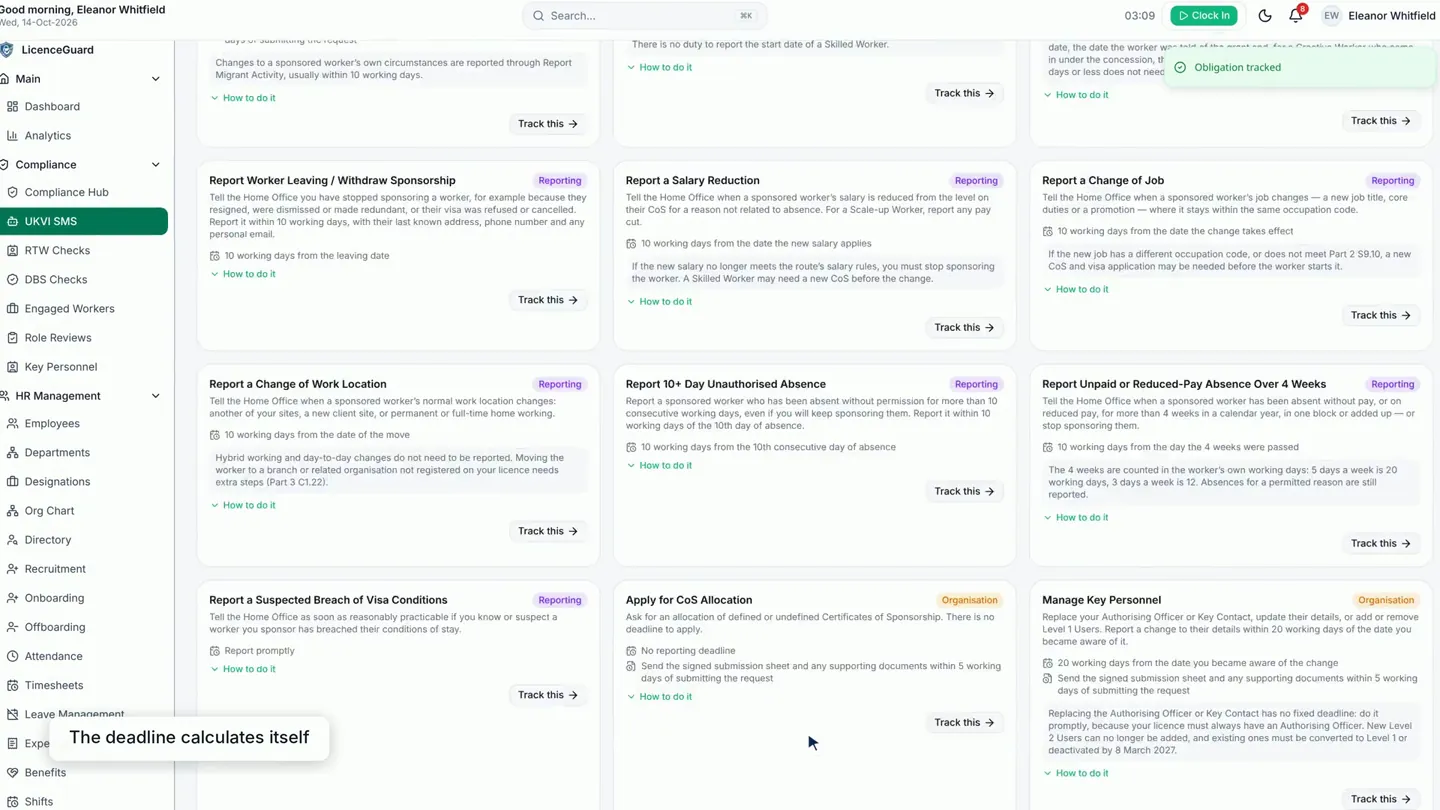
See the full walkthrough: sponsor duties and reporting deadlines. More on UKVI sponsor duties.
Read the full transcript
0:00 Deadlines that calculate themselves
0:02 Deadlines are set out in working days from the event, just as the sponsor guidance counts them.
0:11 Track a duty, enter the date of the change, and LicenceGuard works out the reporting deadline for you, in working days. No counting on a calendar.
0:23 Every tracked duty lands in the obligations tracker, so you can see what's pending, what's due soon and what's overdue.
Related videos
Sponsor duties and reporting deadlines
For sponsor licence holders who need to know which UKVI duties are due and when: the UKVI SMS screen, the obligations tracker, absence monitoring and the audit trail.
The audit trail
Every change is recorded in the audit trail with who and when.
Reminders that reach the person who can act
Compliance reminders go to the right person in the bell and by email, on web and on a phone.


Get started
Ready to try it on your own records?
Start your 14-day free trial, or book a demo and we will walk you through LicenceGuard with your own questions in mind.
- Card required
- Cancel during your trial
- No VAT currently charged