
UKVI sponsor duties
UKVI Sponsor Duties, Tracked and Evidenced
Guided workflows for each sponsor duty, reporting deadlines calculated in working days, and an obligations tracker that keeps your evidence in one place.
- Card required
- Cancel during your trial
- No VAT currently charged
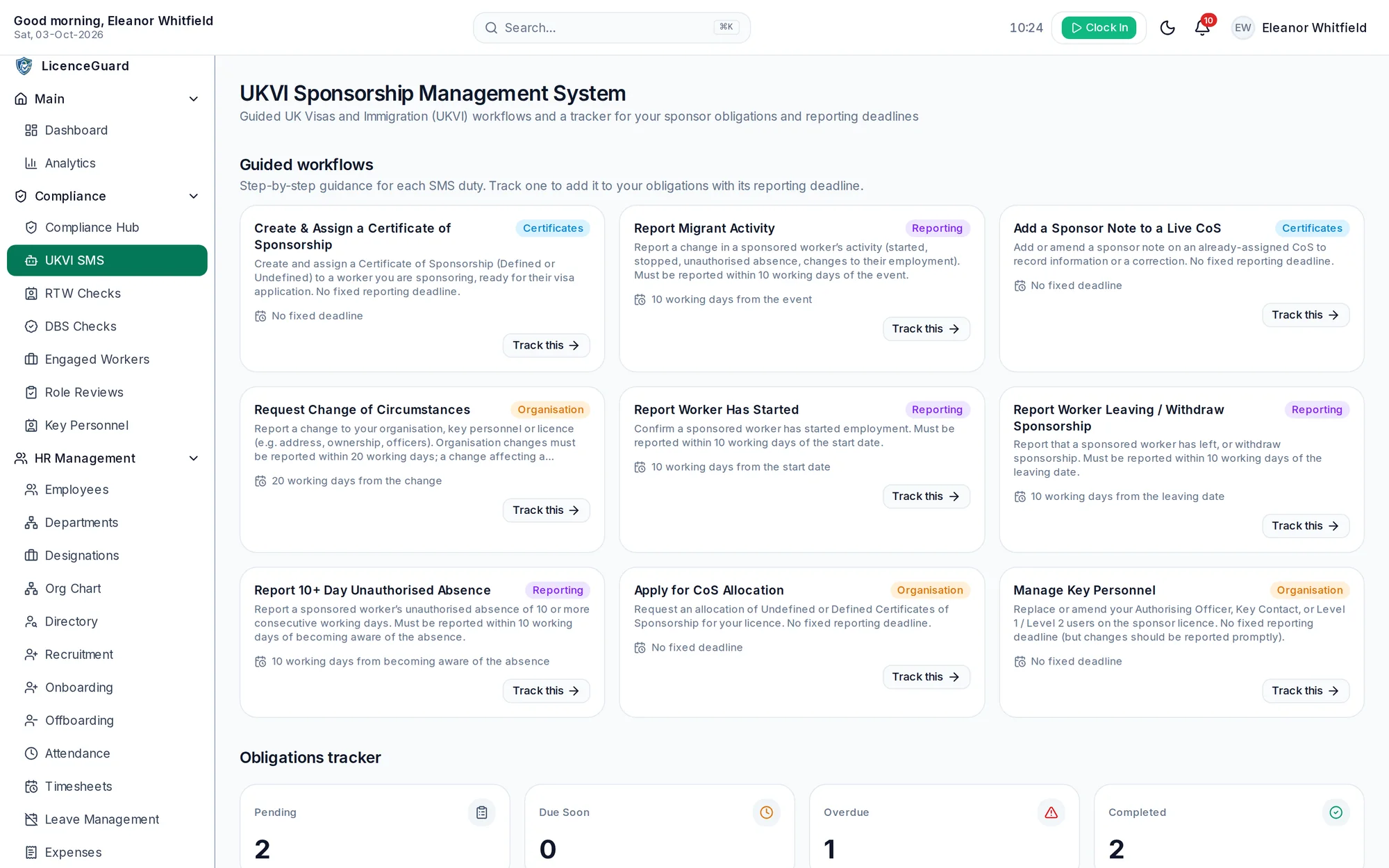
Guided workflows
Step-by-step guidance for each duty
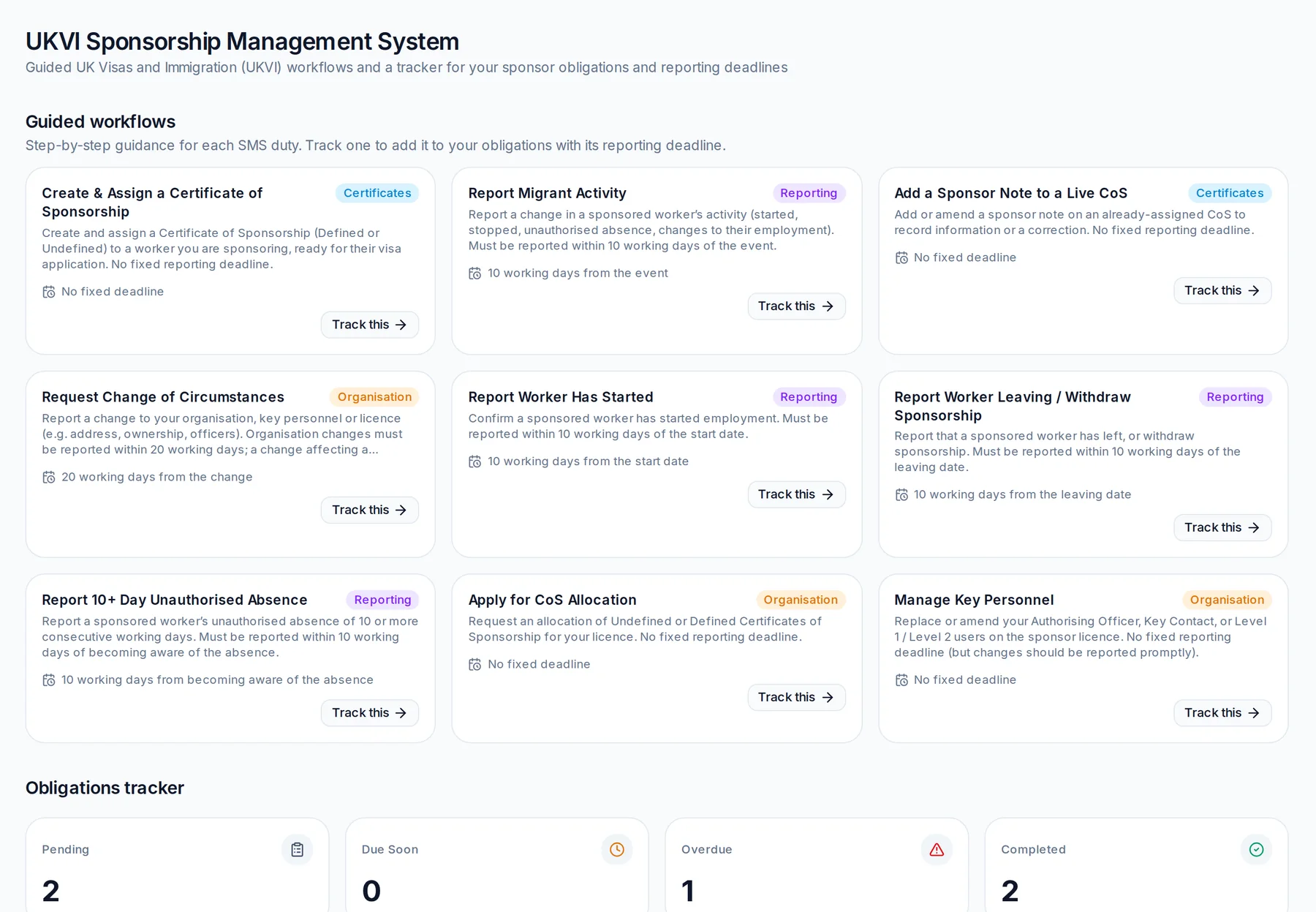
Each workflow sets out the steps, the reporting deadline and the reference to the sponsor guidance, then adds the duty to your obligations tracker.
Report a worker has started
Confirm a sponsored worker has started employment.
Report a worker leaving
Report that a sponsored worker has left, or withdraw sponsorship.
Report unauthorised absence
Absence without permission for more than 10 consecutive working days.
Report migrant activity
Changes to a sponsored worker’s employment that must be reported.
Request a change of circumstances
Changes to your organisation, address, ownership or officers.
Manage key personnel
Replace or amend your Authorising Officer, Key Contact or Level 1 and 2 users.
Create and assign a CoS
Prepare a Certificate of Sponsorship for a worker you sponsor.
Add a sponsor note
Add information or a correction to an assigned certificate.
Apply for a CoS allocation
Request an allocation of certificates for your licence.
Deadlines
Deadlines calculated from the event date.
Enter the date something happened and LicenceGuard works out the reporting deadline in working days, so the due date is never typed in by hand.
- Most worker events: 10 working days
- Organisational changes: 20 working days
- Duties without a fixed deadline are tracked so they are not forgotten
- Upcoming deadlines are emailed to your administrators at the hour you choose
Obligations tracker
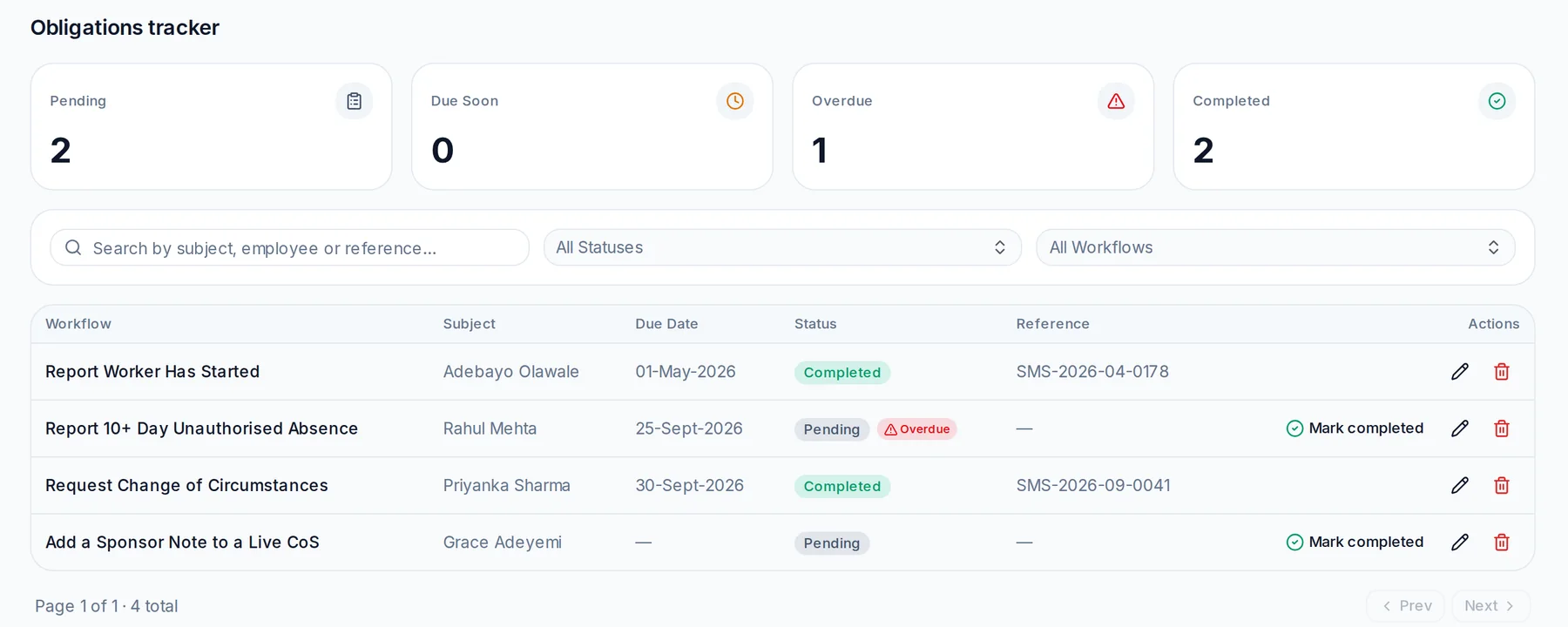
A clear record of what was reported, and when.
- See every open duty with its status and due date
- Filter by status to see what is overdue or due soon
- Mark a duty complete and record the submission reference
- Keep the record alongside the worker’s HR file for compliance visits
LicenceGuard helps you organise and evidence your compliance work. It is not legal or immigration advice, and you remain responsible for meeting your duties.
What LicenceGuard does, and what it does not
What it does
- Guides you through each sponsor duty step by step
- Calculates reporting deadlines in working days
- Tracks obligations and records your submission references
- Reminds your administrators before deadlines
What it does not do
- It does not submit anything to the Sponsorship Management System. UKVI publishes no public connection for software, so your team reports directly.
- It does not decide whether an event must be reported. Check the current sponsor guidance or take advice if you are unsure.
FAQ
Frequently asked questions
How long do I have to report changes to UKVI?
Most reportable changes about a sponsored worker must be reported within 10 working days, and many changes to your organisation within 20 working days. LicenceGuard calculates the deadline for each duty from the event date. Always check the current sponsor guidance for your situation.
Does LicenceGuard connect to the Sponsorship Management System?
No. UKVI does not provide a public connection for software. LicenceGuard guides you and records the outcome; you make the report in the Sponsorship Management System.
Who receives deadline reminders?
Your administrators. Sponsor duty deadlines are sent to the people who can act on them, not to the sponsored worker.
Can I record that a report was made?
Yes. Mark the duty as completed and add the submission reference, so you have evidence of what was reported and when.
Related features
Get started
Put HR and sponsor compliance in one place.
Start your 14-day free trial, or book a demo and we will walk you through LicenceGuard with your own questions in mind.
- Card required
- Cancel during your trial
- No VAT currently charged