
Walkthrough · 1:22
Ask LicenceGuard: answers from your guides, for every role

For owners and HR leads deciding whether LicenceGuard fits. Ask LicenceGuard answers how-to questions from the LicenceGuard guides, with help for each person’s role. This walkthrough follows an HR manager, a line manager and an employee on a phone, and shows what it says when a question is outside someone’s role or not covered.
0:05Ask LicenceGuard
The green Ask LicenceGuard button opens a panel beside the page, with help for your role. In the video, James is an HR manager, so the panel offers popular questions for his role.
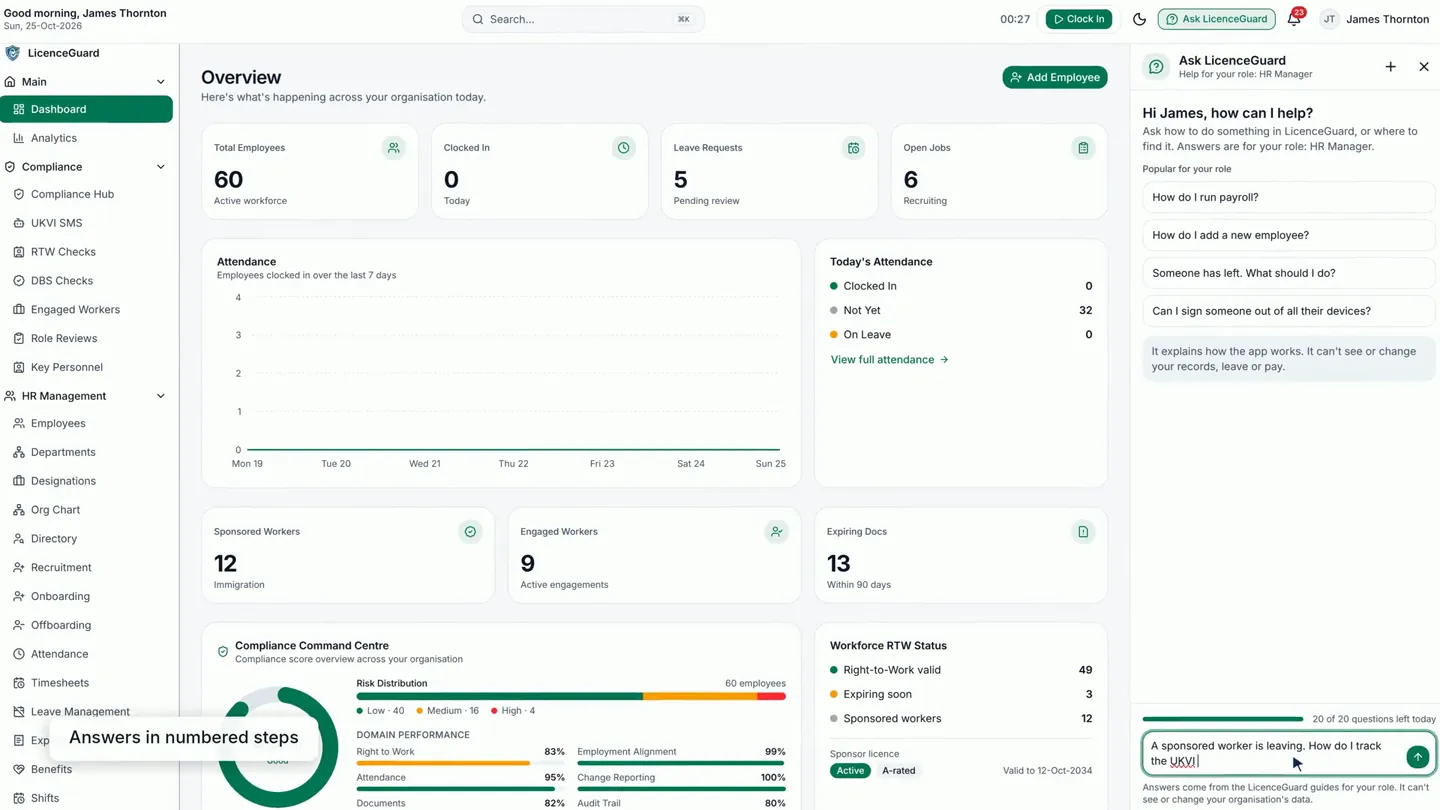
0:13Answers in numbered steps
James asks about a sponsor duty: a sponsored worker is leaving. The answer comes as numbered steps, with the screen names in bold.
0:22Source and a suggested video
Source shows the guide section behind the answer. When a tutorial video fits the question, one is suggested too.
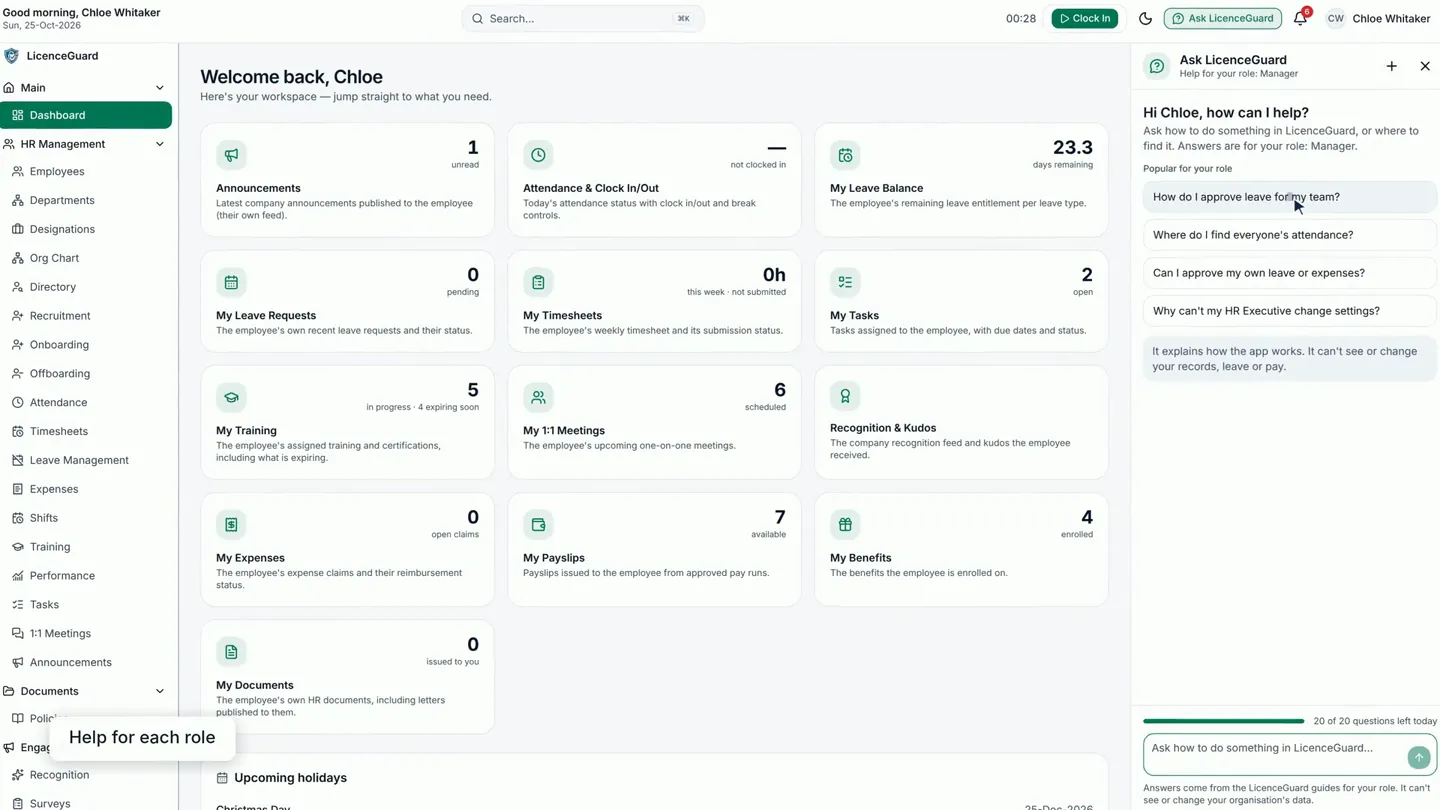
0:29Help for each role
Chloe is a line manager, so her help is for the Manager role. She picks one of the popular questions and gets the steps from her own guide.
0:37On a phone too
On a phone, an employee opens Help in the menu, then Ask LicenceGuard. It opens as a full page.
0:44An employee’s answer
Grace asks how to download her payslip. The answer gives the steps for an employee, with the screens to look for in bold.
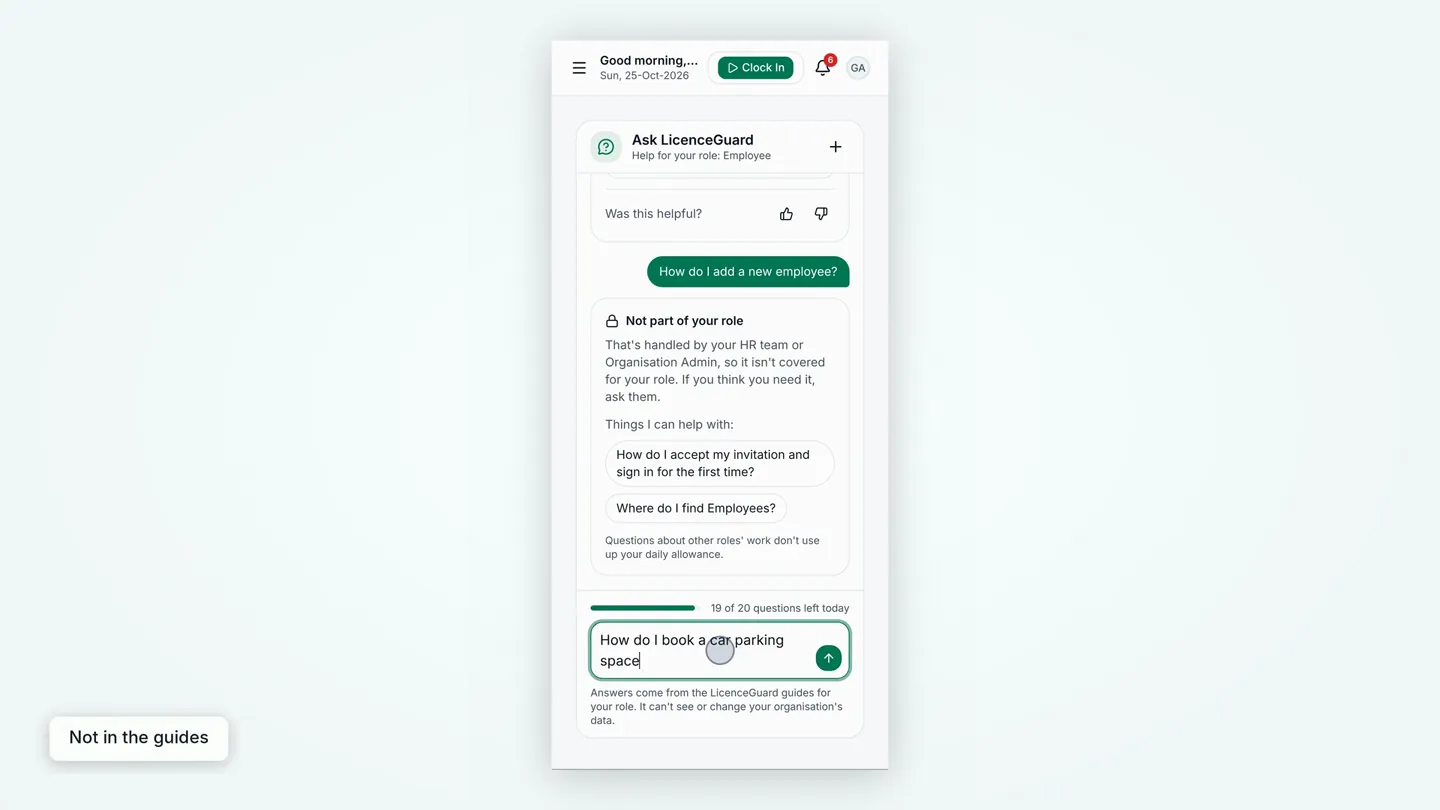
0:51Not part of your role
Ask about another role’s work, such as adding a new employee, and it says Not part of your role. Questions like that don’t use up your daily allowance.
0:58Not in the guides
If the guides don’t cover something, it says it couldn’t find that, rather than guess, and offers WhatsApp support.
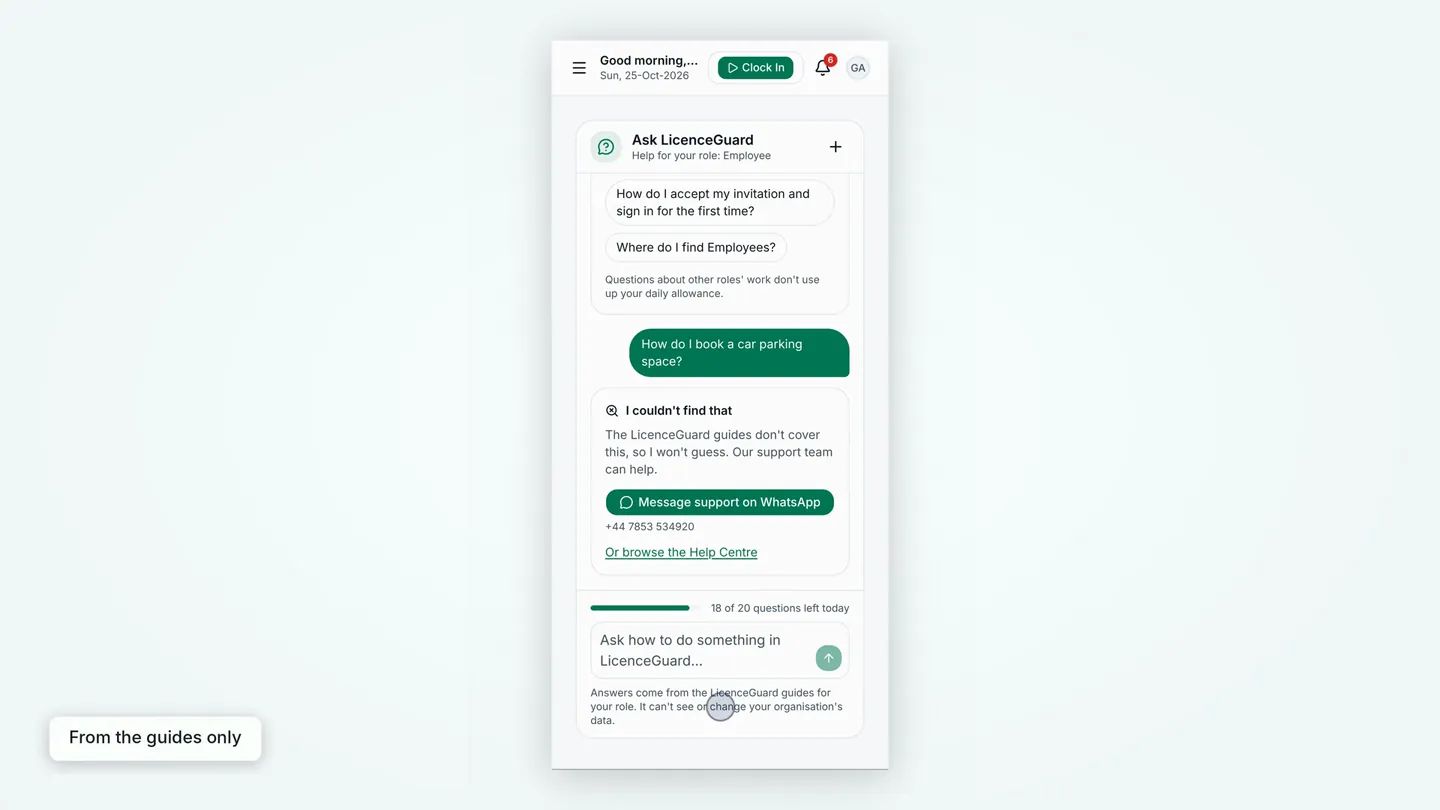
1:05From the guides only
Answers come only from the LicenceGuard guides for your role. Ask LicenceGuard can’t see or change your organisation’s data.
Step-by-step help for every role, on a computer or a phone. More on employee self-service, or read the Organisation Admin Guide the answers come from.
Read the full transcript
0:00 Ask LicenceGuard answers how-to questions from the guides, with help for each person's role.
0:06 James is an HR manager. The green Ask LicenceGuard button opens a panel beside the page, with help for his role.
0:14 He asks about a sponsor duty: a sponsored worker is leaving. The answer comes as numbered steps, with screen names in bold.
0:23 Source shows the guide section behind the answer, and a tutorial video is suggested when one fits the question.
0:30 Chloe is a line manager, so her help is for the Manager role. She picks a popular question and gets her guide's steps.
0:37 On a phone, Grace, an employee, opens Help in the menu, then Ask LicenceGuard. It opens as a full page.
0:45 She asks how to download her payslip. The answer gives an employee's steps, with the screens to look for in bold.
0:52 Ask about another role's work, such as adding a new employee, and it says Not part of your role. That doesn't use a question.
0:59 If the guides don't cover something, it says it couldn't find that, rather than guess, and offers WhatsApp support.
1:06 Answers come only from the LicenceGuard guides for your role. It can't see or change your organisation's data.
1:12 Step-by-step help for every role, on a computer or a phone.
Related videos
Employee self-service on a phone
For employers whose staff work from their phones: home screen, documents, leave, shifts, payslips, policies and bank-detail changes.
Welcome: a 1-minute tour of LicenceGuard
For a new administrator on their first day: where the dashboard, the Compliance and HR Management menus, the Compliance Hub, the reminders bell and your own profile are.
Accept your invitation and sign in for the first time
A new member of staff who has received an invitation email and needs to set a password and sign in for the first time.


Get started
Ready to try it on your own records?
Start your 14-day free trial, or book a demo and we will walk you through LicenceGuard with your own questions in mind.
- Card required
- Cancel during your trial
- No VAT currently charged